You can translate entire lessons and themes in minutes using AI, making it easy to deliver content to a wider audience.
With this feature, you can:
- Auto-translate whole lessons into a range of different languages
- Auto-translate the button text in a theme
Who can use this feature?
👀 Creators, primary admins, and admins
🏳️ Available on Pro plans and above
This guide shows you how to translate your lessons using AI.
Translate with AI
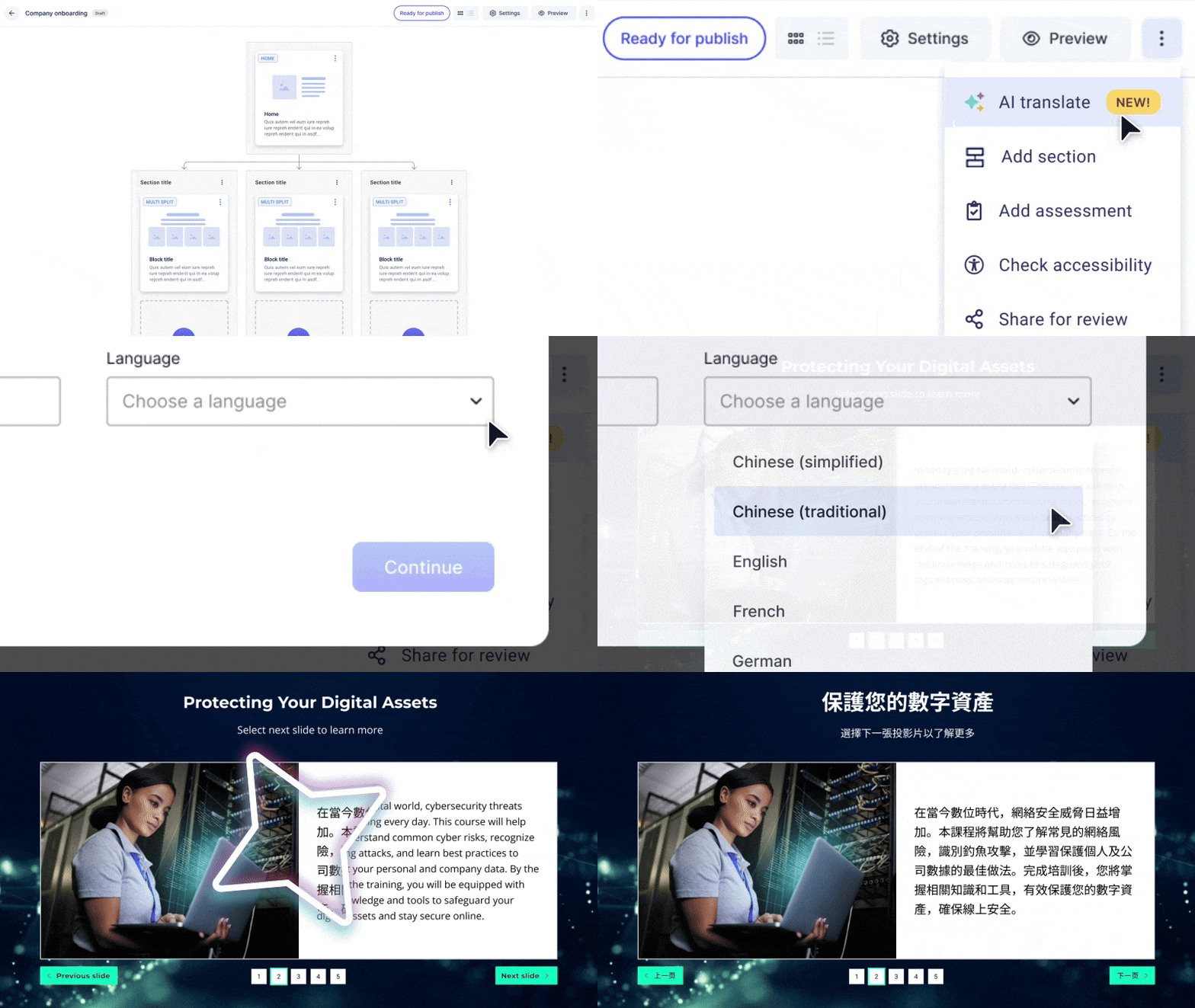
- Navigate to your lesson storyboard.
- Select the three-dot menu in the top right-hand corner of your screen.
- Select 'AI translate'.
- Choose the translation option and follow the prompts to translate your lesson.
Comments
0 comments
Please sign in to leave a comment.